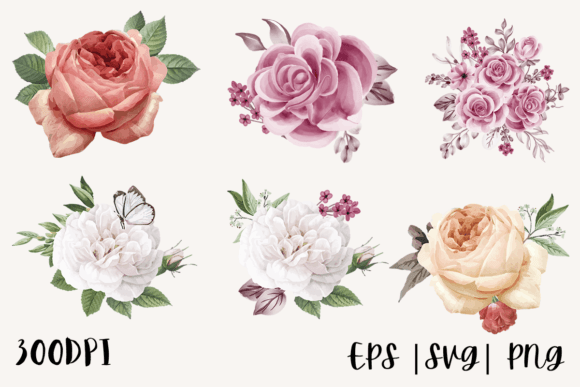
Decorative Watercolor Roses PNG Bundle
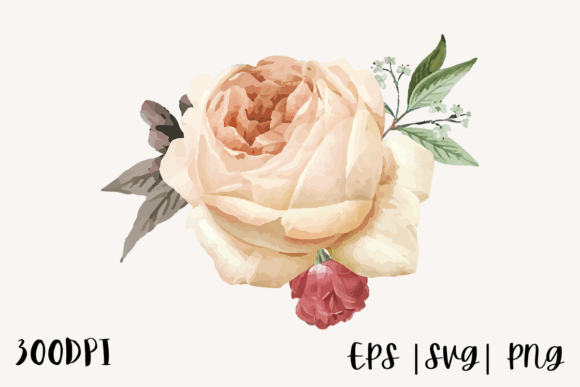
Crafting high-quality designs often hinges on the quality of your assets. If you are looking to elevate your projects with elegant floral elements, a Decorative Watercolor Roses PNG Bundle is an excellent starting point. These digital files offer a blend of artistic charm and technical precision, making them suitable for everything from personal home decor to professional merchandise. However, simply downloading a bundle isn’t enough. To get the most out of these resources, it is crucial to understand what you are getting, how to use it effectively, and where common pitfalls lie.
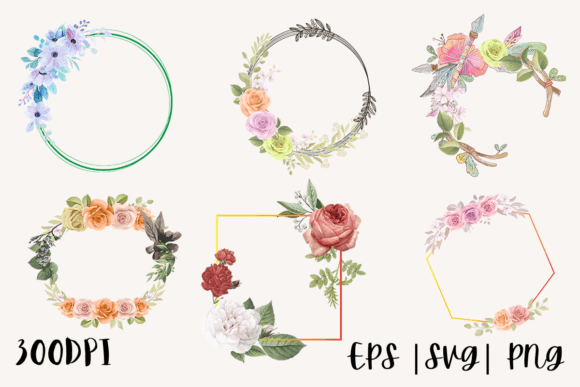
The specific bundle in question includes six SVG files, six transparent PNG files at 300 PPI, and six EPS files, all sized at 12x12 inches. This variety might seem overwhelming at first, but it actually provides significant flexibility. The key is knowing which format serves which purpose and avoiding the common mistake of using the wrong file type for your intended machine or software.
Understanding the File Formats: Why It Matters
One of the most frequent errors beginners make is assuming that all image files work the same way across different platforms. Let’s break down why each component of this bundle matters.
The Power of SVG Files
SVG (Scalable Vector Graphics) files are the gold standard for cutting machines like Cricut and Silhouette. Because they are vector-based, they can be resized infinitely without losing quality. If you plan to cut vinyl for t-shirts, stencils, or decals, the included 6 SVG Files are your primary tools. They allow for precise cuts and clean edges. A common mistake here is trying to rasterize an SVG or convert it unnecessarily, which can lead to jagged edges when cutting.
PNG Files for Printing and Overlays
The 6 PNG Transparent Files at 300 PPI are designed for printing and digital design. The "transparent background" feature is critical; it allows you to place the roses over any color or pattern without a white box surrounding them. This is perfect for sublimation mugs, custom pillows, or digital planners. However, remember that PNGs are raster images. If you try to use them for intricate cutting paths in a silhouette machine, you may encounter issues with registration and detail loss. Use PNGs for visual layering and printing, not for structural cutting.
EPS Files for Professional Editing
The inclusion of 6 EPS Files caters to more advanced users who need to edit the design within professional software like Adobe Illustrator or CorelDRAW. EPS files retain vector data, allowing you to manipulate individual strokes, adjust colors, and scale elements before exporting them for final use. Beginners often overlook this benefit, treating EPS files just like JPEGs. Instead, use them to customize the watercolor effect—perhaps lightening the saturation for a pastel look or adjusting the brush size for a different texture.
Avoiding Common Quality Pitfalls
Even with high-quality assets, poor preparation can ruin a project. Here are practical warnings to help you avoid wasted time and materials.
- Ignoring Resolution Limits: While the PNGs are 300 PPI, ensure your print settings match this resolution. Sending a 300 PPI file to a printer set to 72 PPI will result in pixelated, blurry roses. Always check your export settings in your design software.
- Misjudging Scale: The files are 12x12 inches. Before cutting or printing, visualize how this size fits your canvas. A 12x12 rose might dominate a small coaster but look tiny on a large tote bag. Use the SVG files to resize freely, but be cautious when resizing PNGs beyond their original dimensions, as this introduces pixelation.
- Neglecting Color Profiles: Watercolor art relies on subtle gradients. When moving from screen (RGB) to print (CMYK), colors can shift dramatically. If you are ordering professional prints, convert your RGB PNG/EPS files to CMYK to preview potential shifts. This prevents the disappointment of receiving dull, muddy roses instead of vibrant ones.
Maximizing Creativity Across Projects
The versatility of this bundle allows for a multitude of creative applications. By understanding the strengths of each file type, you can expand your product line efficiently.
Apparel and Fabric Design
For t-shirts and hoodies, use the SVG files for vinyl cutting. The clean lines of the vector data ensure that the heat-transfer vinyl adheres smoothly without unnecessary weeding. Alternatively, if you are doing direct-to-garment (DTG) printing, use the high-resolution PNGs. The transparent background ensures the fabric color shows through naturally, creating a seamless integration of the flower into the garment.
Home Decor and Accessories
Pillows and bags benefit from the soft, artistic nature of watercolor. Use the EPS files to tweak the design so it complements the texture of the fabric. For example, if the fabric has a heavy weave, you might want to slightly thicken the brush strokes in the EPS file to ensure the design remains visible. For stickers, both the SVG (for die-cutting) and PNG (for full-color printing) options shine. The 300 PPI PNG ensures that the fine details of the watercolor splashes remain crisp on small sticker surfaces.
Digital Products
Bloggers and educators can leverage the PNG files for digital planners, social media graphics, and e-books. The transparent background is particularly useful here, allowing you to overlay the roses onto screenshots, blog headers, or presentation slides without manual clipping. This saves hours of editing time compared to sourcing separate clipart with white backgrounds.
Final Checks Before You Start
Before committing to a production run, take a moment to verify your workflow. Ensure your cutting machine software recognizes the SVG files correctly. Test print a single PNG on the actual material you intend to use to check color accuracy and adhesion. Review the EPS files in your vector software to confirm that all layers are intact and editable.
By respecting the technical specifications of each file type and planning your application carefully, you transform a simple bundle of flowers into a powerful tool for creativity. The Decorative Watercolor Roses PNG Bundle offers a robust foundation for success, provided you approach it with knowledge and attention to detail. Whether you are a hobbyist making gifts or an entrepreneur scaling a brand, these files provide the quality and flexibility needed to produce stunning results.