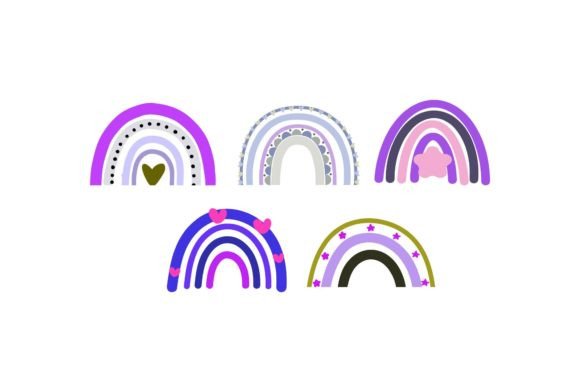
Boho Decorative: Elevating Your Visual Projects with Versatile Design Assets
In a digital landscape saturated with generic templates and mass-produced aesthetics, finding a design element that feels both authentic and professionally polished can be a challenge. This is where Boho Decorative elements step in. These assets are not merely decorative flourishes; they are strategic visual tools designed to add warmth, texture, and organic flow to your creative work. Whether you are a small business owner looking to refresh your brand identity, a blogger aiming to capture reader attention, or an educator designing engaging course materials, understanding how to leverage these specific design formats can significantly enhance the perceived value of your projects.
The term "Boho" refers to Bohemian style, characterized by free-spiritedness, eclectic mixtures, and natural textures. When applied to digital decorative elements, this translates into designs that mimic hand-drawn lines, organic shapes, botanical motifs, and intricate patterns. The key advantage of using pre-made Boho Decorative assets is the ability to inject this sophisticated, curated look into your work without needing advanced illustration skills. You get the aesthetic impact of a custom-designed graphic with the efficiency of a ready-to-use file.
Why Format Matters: From Concept to Creation
One of the most critical aspects of purchasing digital design assets is understanding what you are actually buying. Not all files are created equal, and choosing the right format for your specific workflow is essential for achieving professional results. Our collection offers five distinct file types, each serving a unique purpose in the design process. Understanding these differences ensures you can edit, scale, and integrate the designs seamlessly.
- AI Files (Adobe Illustrator): Ideal for professional designers who need full control over every curve and anchor point. These vector-based files allow for infinite scaling without loss of quality, making them perfect for large-format prints or complex editing needs.
- EPS Files: Another vector format, EPS files are widely compatible across various design software platforms. They are excellent for transferring designs between different applications while maintaining scalability and editability.
- SVG Files: Scalable Vector Graphics are the gold standard for web design. If you are building a website, creating social media graphics, or designing digital ads, SVGs ensure crisp visuals on any screen size, from mobile phones to high-resolution desktop monitors.
- JPG Files: As a raster image format, JPGs are universally supported and easy to use in basic editing software like Microsoft Word or Canva. They are best suited for quick inserts where extensive editing is not required.
- PNG Files: PNGs support transparency, which is a game-changer for layering. You can place these decorative elements over photos, colored backgrounds, or other text without dealing with ugly white boxes around the edges.
All formats provided come in a canvas size of 1920 px x 1280 px. This resolution is robust enough for high-quality printing and sharp digital display, ensuring that whether you are printing a poster or posting an Instagram story, the details remain crisp and clear.
Real-World Applications Across Industries
The versatility of Boho Decorative elements lies in their adaptability. Here is how different users can apply these assets to solve real-world problems and enhance their output.
For Entrepreneurs and Small Business Owners
If you run a boutique, sell handmade jewelry, or operate a wellness studio, your visual branding needs to communicate trust and authenticity. Standard corporate templates often feel too cold or rigid for these industries. By incorporating Boho decorative frames, borders, or accent icons into your business cards, packaging labels, and social media posts, you create a cohesive brand experience. For example, a skincare brand might use a delicate SVG leaf border on their product labels to emphasize natural ingredients. Because these files are editable, you can change colors to match your specific brand palette, ensuring consistency across all marketing materials.
For Bloggers and Content Creators
In the world of blogging and content creation, retention is key. Readers skim content, so visual breaks are necessary to keep them engaged. Boho decorative elements serve as excellent dividers between sections, headers for pull quotes, or background textures for featured images. A lifestyle blogger writing about travel might use a watercolor-style boho frame to highlight a photo dump, adding a personal, artistic touch that resonates with their audience. Using PNG versions allows you to overlay these designs on top of your photographs, creating a layered, magazine-style look that stands out in a crowded feed.
For Educators and Presenters
Education is increasingly digital, but screens can feel sterile. Teachers and corporate trainers can use Boho decorative elements to humanize their presentations and learning materials. Imagine designing a slide deck for a workshop on mindfulness or creativity. Adding subtle, organic decorative elements to the corners of your slides can reduce cognitive load and make the material feel more approachable and less intimidating. For printable worksheets or certificates, the AI or EPS files allow you to customize the text and layout easily, creating professional-looking educational resources that look far more expensive than they are.
For Event Planners and Wedding Invitations
The wedding and event industry thrives on personalization and emotion. Boho themes are incredibly popular due to their romantic and relaxed vibe. Designers and DIY enthusiasts can use these vector files to create custom invitation suites, seating charts, and signage. The ability to edit the AI or EPS files means you can adjust the size of the decorative wreaths or floral accents to fit specific typography layouts. This flexibility saves hours of design time, allowing you to focus on client communication and event logistics rather than struggling with graphic design software.
Practical Considerations Before You Start
While Boho Decorative assets offer significant advantages, there are practical steps to ensure you get the most out of your purchase. First, always check the compatibility of your design software. If you are using free tools like Canva or Inkscape, stick to SVG, PNG, or JPG files. If you have Adobe Creative Cloud, leveraging the AI or EPS files will give you greater creative freedom.
Secondly, consider the context of your final output. If you are designing for print, ensure you convert your RGB files to CMYK color mode if your printer requires it, although most modern printers handle RGB well. For digital use, sticking to sRGB ensures colors appear consistent across different devices. Finally, remember that while these designs are easy to use and edit, they are meant to complement your content, not overwhelm it. Use them sparingly as accents to guide the eye, rather than dominating the entire composition. This balanced approach results in designs that feel intentional, professional, and aesthetically pleasing.
By choosing Boho Decorative assets, you are investing in time-saving, high-quality design solutions that elevate your work. Whether you are crafting a brand new logo or simply sprucing up a weekly newsletter, these versatile files provide the finishing touches that make your projects stand out. Thank you for visiting our shop and for trusting us to support your creative journey.